Links marked “in Addora” open the matching screen in your Shopify admin. Sign in and choose your store if Shopify asks.
Open Packing slip settings in Addora ↗Create a preset
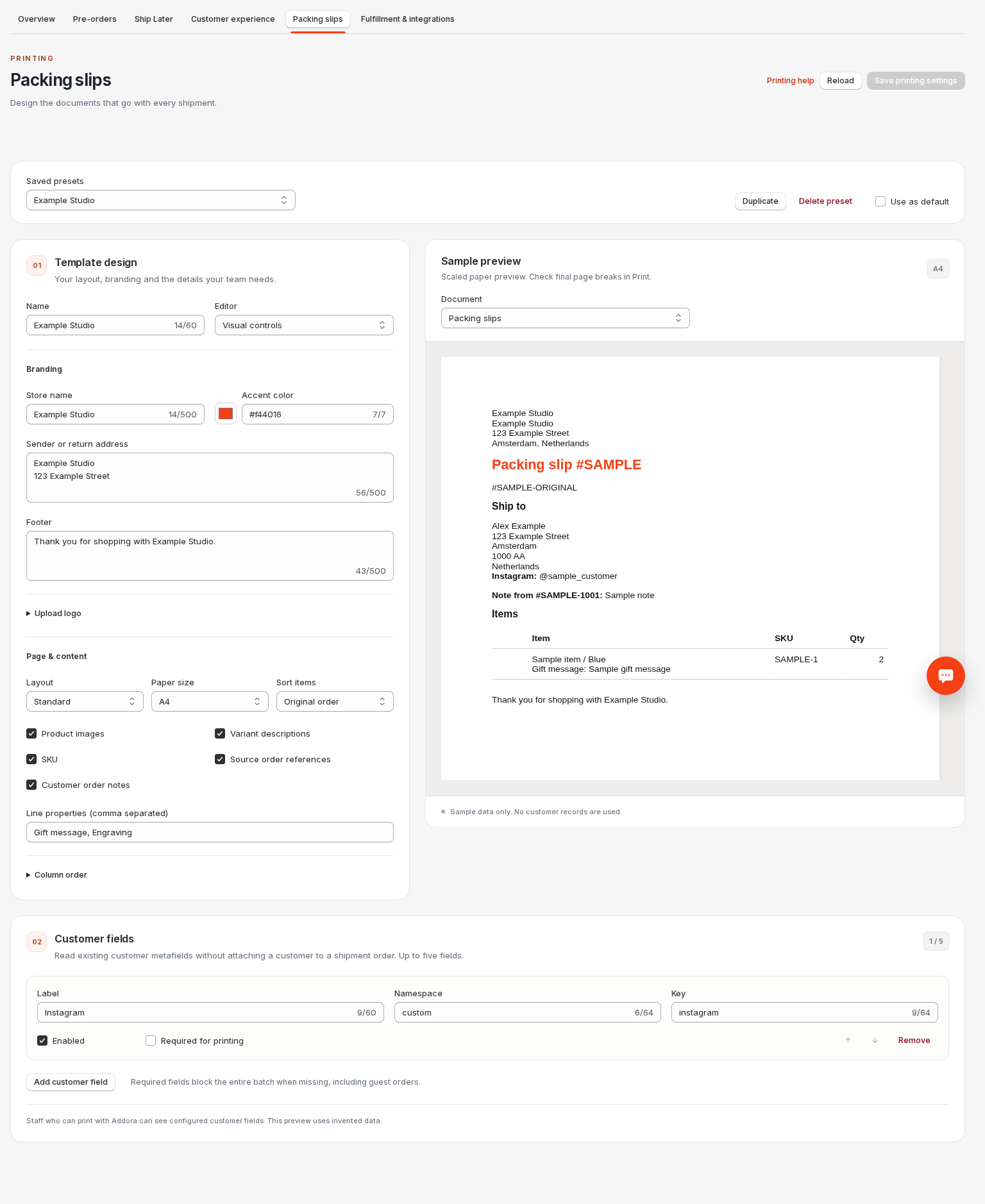
Open Packing slip settings (in Addora ↗). Classic is the existing layout. Create a preset, choose a name, edit it and save. Duplicate a preset to make an alternative; choose Use as default to select it automatically.
Layout and branding
Choose Standard or Compact, A4 or Letter, an accent color, store name, sender or return address and footer. Select product images, variants, SKU, source references and customer notes. Only selected public line properties print; internal Addora fields stay hidden.
Upload a PNG/JPEG up to 2 MB. Copy managed email logo makes an independent print copy, not a live link. External email-logo URLs cannot be copied; upload the file instead. Future email changes do not change this preset.
Save before printing
The sample contains invented customer and item data. Save before printing; unsaved edits do not affect Shopify documents. Reload discards unsaved changes. Delete a custom preset to return to Classic; deleting the default resets the default to Classic.
Need full template control?
For complete HTML, CSS and Liquid control, follow Edit complete templates. Keep packing-slip and picking-list sources separate, save, and verify the final Print output before packing.
Copy managed email logo uses the saved email logo, not an unsaved upload. Managed GIF logos are copied as a static PNG. For an external or removed email logo, upload a PNG/JPEG for printing instead. Source notes are labeled with their original order.
Enter a complete six-digit hex accent color, such as #f44016. Partial colors show an inline error and never replace the last valid preview color. Copies are named after their source and remain independent. Classic is always available as the fallback default.
STILL A QUESTION?
Let's work through it together.
Every store is a little different. We're here to help.