★★★★★Rated 5.0 from 10 merchant reviewsFree plan available
MULTIPLE ORDERS. ONE SHIPMENT.See the whole idea in 22 seconds.
Buy now. Build a shipment.
Keep shopping. Choose what ships. Send it together.
WHY BOTH? 2× THE WAY CUSTOMERS SHOP WITH YOU.
You aren’t ready→ Pre-order
Your customer isn’t ready→ Ship Later
Works alone. Better together.
THREE WAYS TO START
Choose how customers shop with you.
Whether stock is not ready or the customer is not ready, Addora manages the entire delayed-shipping journey.
SETUP PATH / 01
Two ways to secure the sale today.
Sell before stock arrives and let customers combine purchases for shipping. Use either workflow on its own, or both together.
✓Sell before stock arrives
✓Let customers combine future orders
✓Customer self-service
✓Automated holds and release workflows
✓One clear readiness view
SETUP PATH / 02
Let customers build a shipment over time.
Secure revenue today while giving customers the flexibility to keep shopping and ship eligible orders together when they are ready.
✓Orders held automatically
✓Self-service controls and fewer support tickets
✓Less manual tracking and fulfillment work
✓One checkout for combined shipping
✓Fewer parcels, packaging, and courier costs
✓Customers stay in control
SETUP PATH / 03
Keep selling before stock arrives.
Accept orders early, launch upcoming products with confidence, and let Addora hold them safely until the product is ready.
✓Keep selling while out of stock
✓Accept orders before stock arrives
✓Launch upcoming products with confidence
✓Automatically release on your chosen date
FROM PROMISE TO PARCEL
One clear story at every step.
The shopper and the fulfillment team should never have to reconstruct what an order means.
01 / BEFORE CHECKOUT
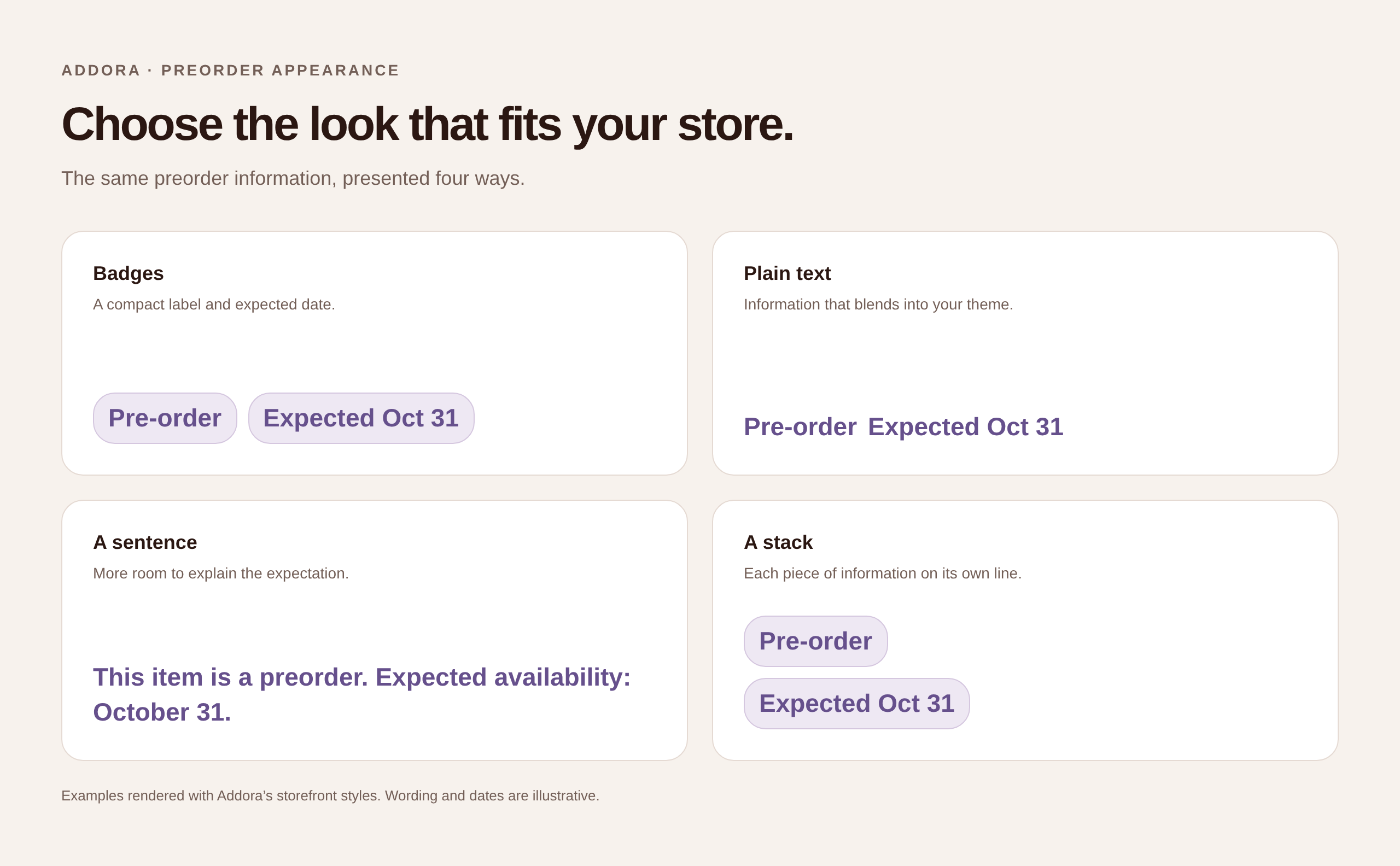
Make preorders feel right at home.
Show customers what is a preorder and when it is expected. Match the labels to your store, with your colors, your wording, and the details that make it yours.
Pre-order badges and expected dates
Colors, corners, and wording you control
A clear promise before customers buy
Your preorder appearance
02 / AFTER PURCHASE
Keep ready items moving.
A mixed cart should follow a deliberate policy. Addora can leave the ready part available to dispatch while the pre-order stays held—or require separate carts before checkout.
Ready-items-first or separate-carts policy
Only the pre-order timeline stays held
Clear exceptions for practical add-ons
MIXED ORDER #10842 timelines
IN STOCK
Rumours · 180g
Ready now
+PRE-ORDER
Phantom Clear 2LP
Expected June 14
→
ADDORAShip ready. Hold waiting.Two safe fulfillment states
03 / WHILE ITEMS WAIT
Let customers choose when to ship.
Customers select ready purchases from their Shopify account, then pay for delivery at checkout. They decide what goes in the box, with less back-and-forth for your team.
Held purchases in one familiar place
Choose which ready items to send
One checkout for combined shipping
Shopify customer account
PRE-ORDERS AND SHIP LATER
One place for preorders and combined shipping.
Manage products arriving later and purchases customers want to ship together.
CAPABILITYOTHER PRE-ORDER APPSADDORA
Sell before stock arrives✓✓
Customers combine future orders×✓
Customer self-service×✓
Automated combined shipping×✓
One shipping fee×✓
Reduced support tickets×✓
THE MERCHANT SIDE
Clear controls behind a simple customer promise.
Recognize products, review readiness, and release exceptions without stitching the story together across unrelated settings.
WHEN STOCK ARRIVES
Ten arrived? Make ten ready.
Enter the quantity you have. Addora makes those units available, starting with the oldest orders. Customers still choose when to ship, while the rest keep their release settings.
Partial stock arrivals
YOUR SHIPPING RULES
A little incentive to keep collecting.
Set a free-shipping threshold that fits your store. Build shipping conditions around price, weight or quantity, with fees and discounts when you need them.
Shipping conditions
A CATEGORY OF ONE
Secure the sale today. Addora handles the rest.
PRE-ORDER+ SHIP LATER→ ONE CLEAR JOURNEY
THE COMMERCIAL CASE
Turn shipping flexibility into a conversion strategy.
More completed checkouts, more repeat purchases, and a better reason for customers to come back.
01 / CONVERSION
Stop your biggest checkout leak.
Shipping fees should not be the reason customers abandon their cart.
02 / AUTOMATION
Set it, then forget it.
Addora runs the waiting workflow. Customers stay in control, and your team stays out of the inbox.
03 / LIFETIME VALUE
Grow customer lifetime value.
Remove the shipping friction between one purchase and the next, so customers return sooner, buy across more drops, and spend more with you over time.
MERCHANT RESULTNearly 50%
of one merchant’s customers adopted Addora’s Buy Now, Ship Later option within just a few months—driving repeat purchases, increasing customer retention, and turning one-time shoppers into loyal returning customers.
★★★★★
Rated 5.0 from 10 merchant reviews
“The white glove onboarding is absolutely mind blowing. Real people, behind a useful app that really works.”
Bry’s ComicsVerified Shopify App Store review
QUESTIONS & PRACTICAL GUIDES
Make the workflow clear before launch.
Answers for the decision today, and deeper guides when your team is ready to configure the details.
What is Addora?
Addora is a Shopify app for Pre-orders and Ship Later. It keeps product readiness, customer choices, fulfillment holds, release dates, and shipping actions in one clear journey.
Do we have to use both Pre-orders and Ship Later?
No. Start with Ship Later plus Pre-orders, only Ship Later, or only Pre-orders. Each workflow can operate independently while sharing the same readiness model.
Does the customer still pay for shipping?
Yes. Ship Later defers shipping; it does not make shipping free. Customers pay shipping when they choose to send eligible held purchases together.
What happens with mixed carts?
Choose whether mixed orders wait together or ready items ship first. Separate releases depend on your fulfillment setup; waiting items stay held.
Do we need Shopify Plus?
Ship Later works without Shopify Plus. Plus stores can also add an optional explanation inside checkout.