Links marked “in Addora” open the matching screen in your Shopify admin. Sign in and choose your store if Shopify asks.
Open Packing slip settings in Addora ↗Configure an existing field
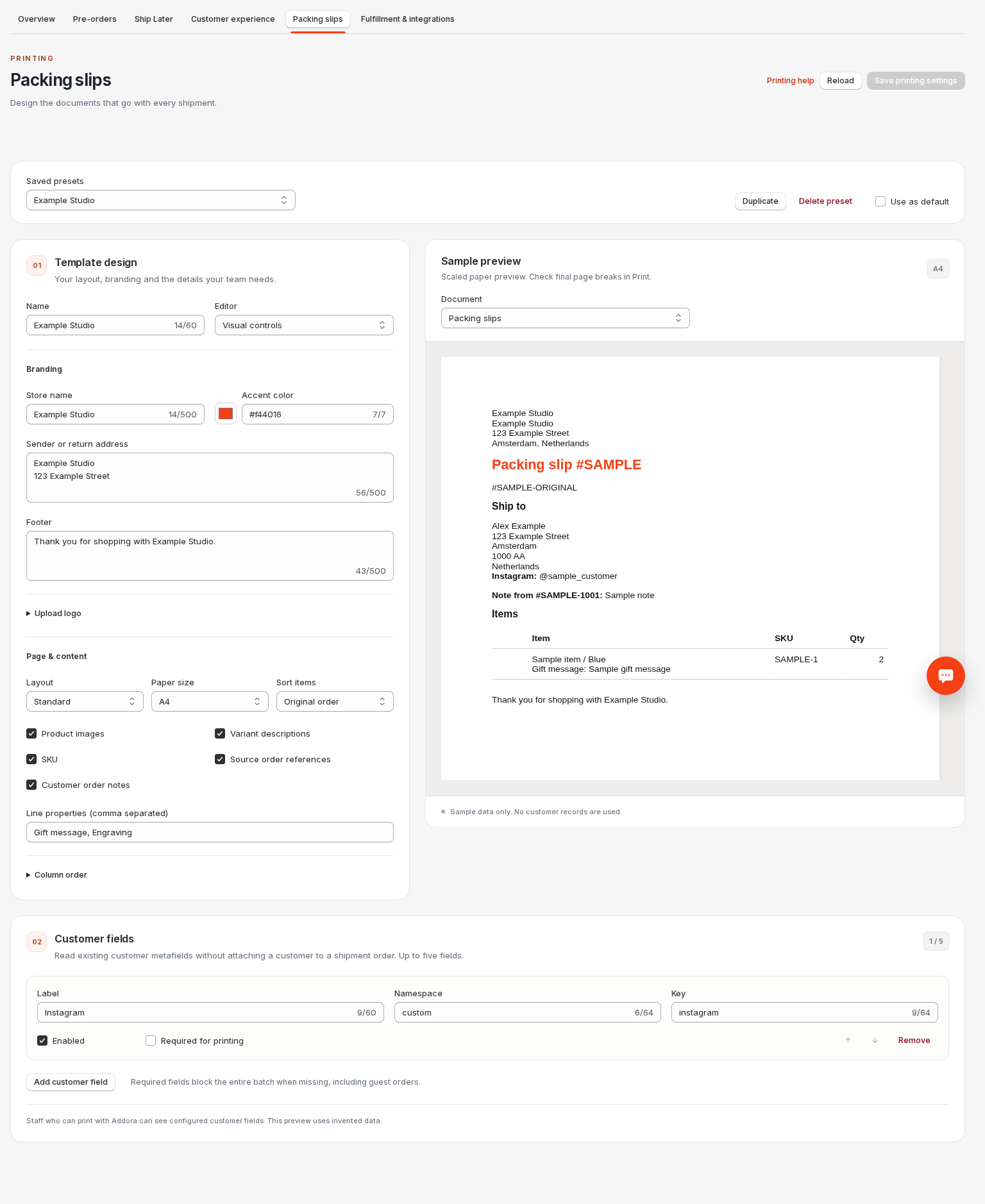
Open Packing slip settings (in Addora ↗). Add a customer field with label Instagram, namespace custom and key instagram, then save. Addora reads an existing customer value; it does not create the metafield or attach a customer to an order.
Up to five fields are supported. Enable only the fields your team needs. Supported values are text, multiline text, integers, decimals and booleans. Lists, references, JSON and rich text are not supported. Zero and false remain valid values.
Required fields and recovery
Required is off by default. A missing required field blocks the whole selected batch, including guest orders. Optional missing values are omitted with a warning. Remove affected orders from the selection, correct the existing customer value or intentionally change the field setting, then reopen Print.
Test shipment orders remain customer-free. Regular-mode shipments can already have a customer; printing does not change either policy. If the stored customer was erased, deleted or merged away, Addora will not reconstruct their identity from original orders.
Visibility and current values
Staff who can use Addora printing can see the configured customer fields. Settings previews use invented data. Printed documents read current values, so a reprint can differ from an earlier copy.
For an expired link, changed settings or unavailable required data, close and reopen Print. For an access error, reconnect the app or contact your store administrator. Never attach a customer to an operational shipment to fix printing.
Required customer fields apply to packing slips. Picking lists do not read or require customer fields.
STILL A QUESTION?
Let's work through it together.
Every store is a little different. We're here to help.