
Follow a record collector from a pre-order to one shipment, and see what Addora’s new Shopify storefront tools put in reach at every step.
On this page
Alex spots a blue-vinyl pressing of Blue Train at Side A Records. It’s a pre-order, and there’s another record in stock that they’d like to buy today. Can the shop hold both? When will the pre-order be ready? And how do they get everything shipped together?
Addora’s new Shopify storefront tools help shops answer those questions as customers browse, buy, and come back for their purchases. Here’s what that looks like at Side A Records, our demo shop.
Give pre-orders a clear place on the shelf
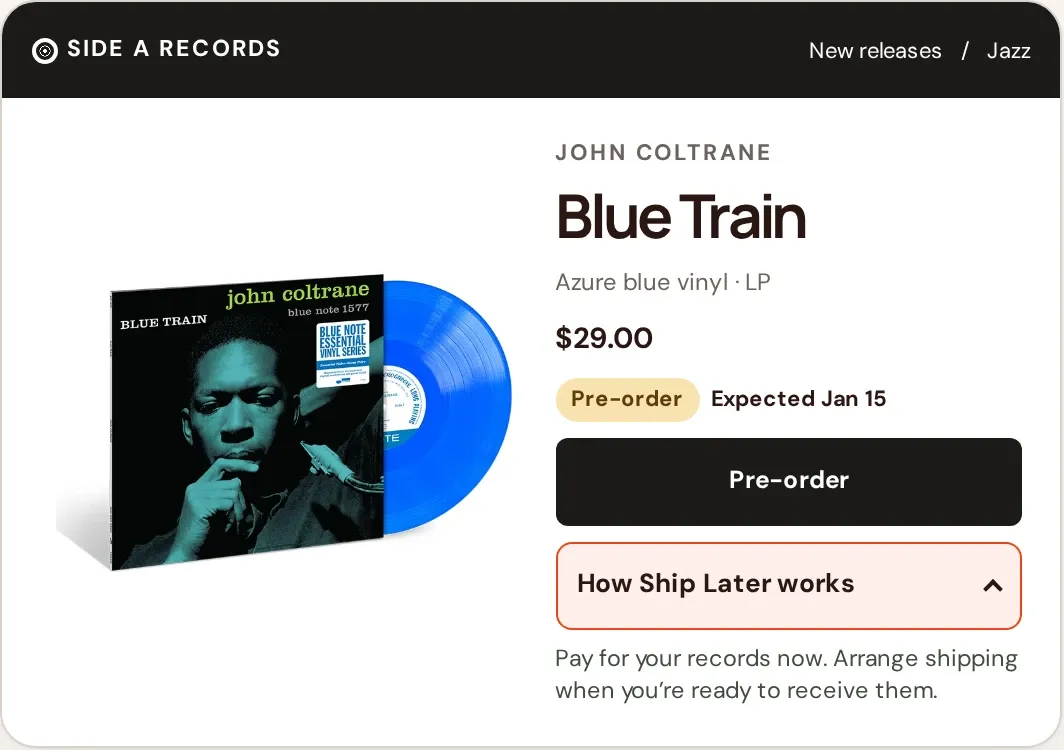
The Blue Train product card tells Alex it’s a pre-order before they open it. On the product page, the expected date sits beside the purchase button. With Preorder appearance, you can configure the badge, wording, and date display on product pages and compatible collection cards.
The Holding explanation block answers the next question right on the page. With Ship Later, customers pay for their items now. The shop holds the purchase, and customers arrange shipping when they’re ready. Add the block where shoppers are likely to wonder how it works, and use the same wording you use for the holding option at checkout.
Let shoppers choose delivery or holding
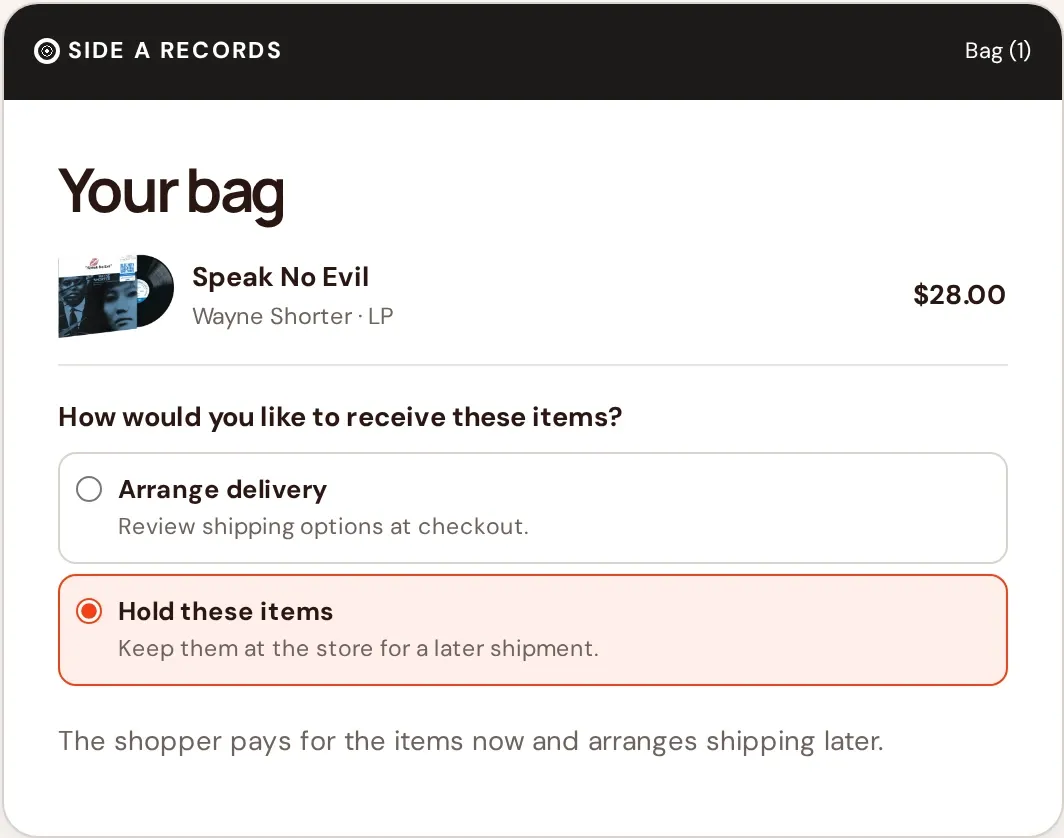
Alex adds Speak No Evil to the cart and chooses to hold it. With Cart choice, a supported cart page or drawer can show both options before shoppers head to checkout. Customers who want delivery can continue to review their shipping options there. Shopify Plus merchants can also add Ship Later Opt-In, a checkout block where shoppers acknowledge the holding terms.
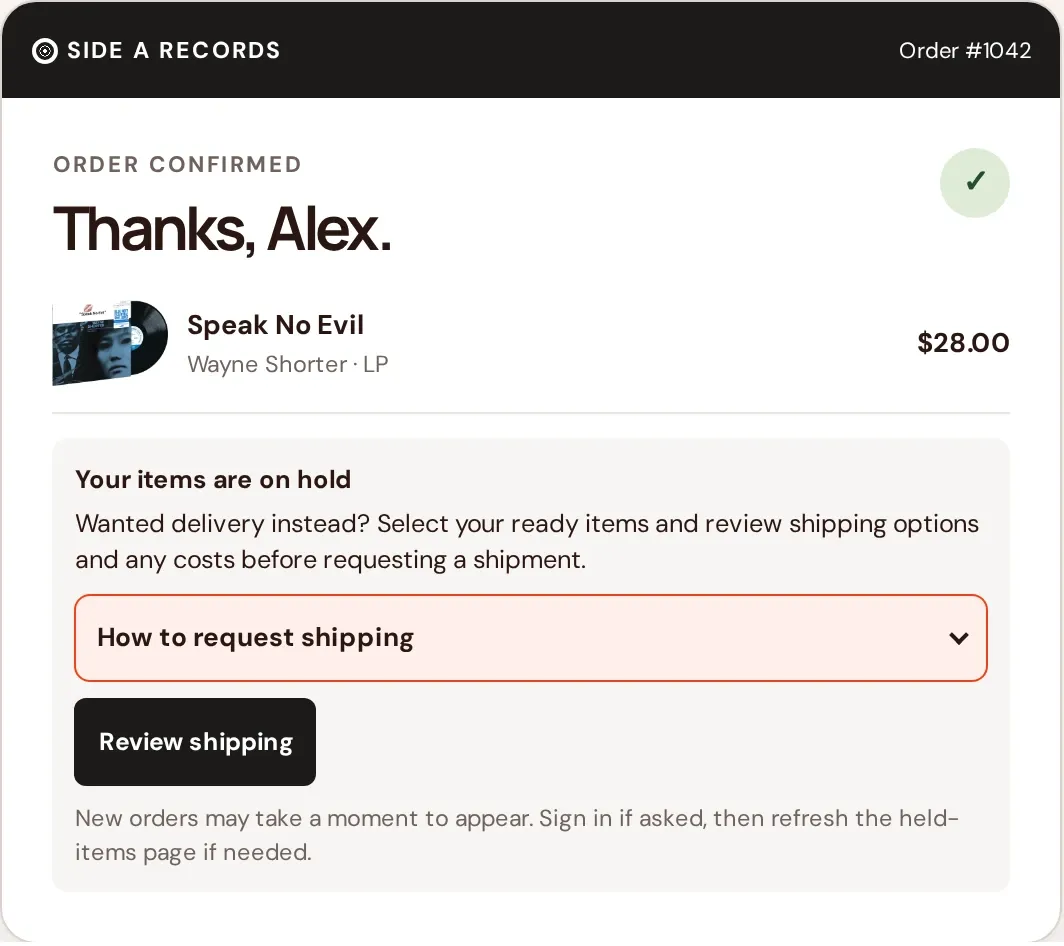
On the Thank-you page, Ship Later · Thank you confirms that the order is held and points Alex to their purchases. If the store enables shipping recovery, shoppers who meant to choose delivery can select ready items and review their shipping options. Customers can see the options and any cost before they request a shipment.
Give returning shoppers a place to see what’s held
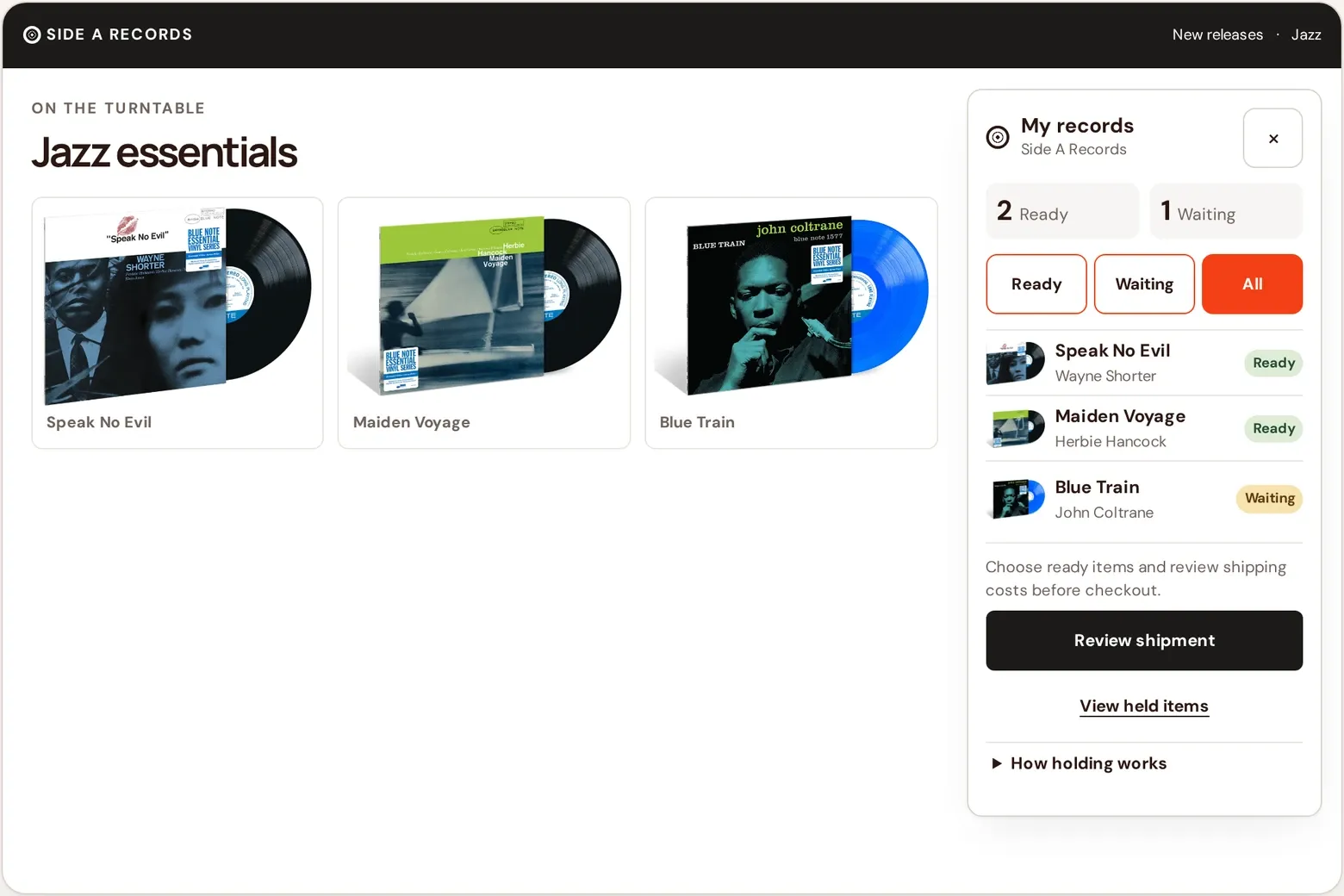
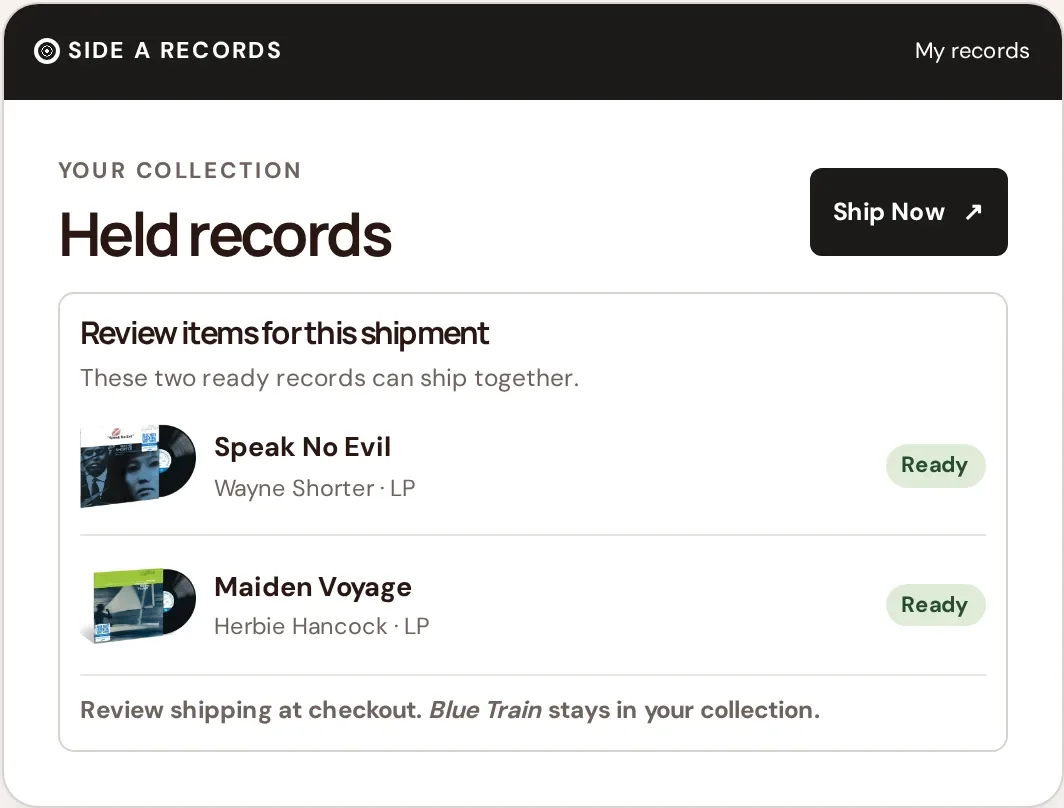
Alex comes back a week later and buys Maiden Voyage. They open My records from the shop and see two records ready and Blue Train still waiting. The Collection Widget gives signed-in shoppers a view of their held purchases from a floating button, the header, or a homepage block, depending on how you set it up. It’s available on eligible paid plans.
The Held Orders page gives customers a dedicated place to find the same purchases. You can link to it from Shopify customer accounts so returning shoppers have a familiar place to look.
Ship the ready purchases together
Alex wants the two records that are ready now. With Ship Now CTA, shoppers can open shipment review, select eligible items from multiple orders, and see their shipping options and any charge before completing checkout. Blue Train stays held until it’s ready. If Alex would prefer all three in one shipment, they can wait.
Add the tools your store needs
Open Storefront Hub in Addora to see what’s available for your store and follow the setup guides. If customers ask when a pre-order will be ready, start with Preorder appearance. If they ask what’s already held, start with Held Orders or the Collection Widget. Availability depends on your Addora plan, Shopify plan, theme, and rollout.
Try the interactive Side A Records walkthrough · Browse the Addora setup guides
Try it on your store


