New storefront tools for Shopify
Offer Ship Later. Show what’s held.
Add pre-order dates, a delivery choice and a Collection Widget to your Shopify store. Shoppers can check what’s ready and arrange one shipment for their eligible purchases.


2 ready1 waiting
Follow the examples in Side A Records, a sample Shopify store.
What you can add to your store
Choose the blocks and settings that fit your store in Addora’s Storefront Hub.
While shoppers browse
- Preorder appearance
- Pre-order badges and expected dates on product pages and collection cards.
- Holding explanation
- A theme block that explains Ship Later before shoppers buy.
Around checkout
- Cart choice
- Offer delivery or holding on supported cart pages and drawers.
- Ship Later Opt-In
- A Shopify Plus checkout block where shoppers acknowledge the holding terms.
- Ship Later · Thank you
- Confirm what’s held and optionally offer a shipping review link on the Thank-you page.
When shoppers come back
- Collection Widget
- Open held purchases from a floating button, the header or a homepage block.
- Held Orders
- Give shoppers a dedicated page for held items and link to it from their account.
- Ship Now CTA
- A theme block that opens shipment review for items that are ready.
Availability depends on your plan, theme and rollout.
Preorder appearance and Holding explanation
Explain pre-orders and Ship Later.
Show pre-order badges on collection and product pages so shoppers can see what’s available now. On the product page, add the expected date and explain how paying for items and arranging shipping work.
Try it
Open “How Ship Later works.”
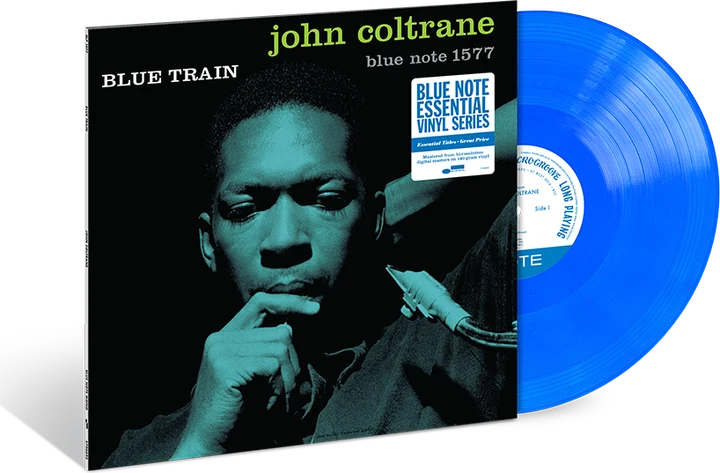
John Coltrane
Blue Train
Azure blue vinyl · LP
$29.00
Pre-order Expected Jan 15
How Ship Later works
Pay for your records now. Arrange shipping when you’re ready to receive them.
Preorder appearance on product cards
Show what’s on pre-order while shoppers browse.
Put the same badge and expected date on product cards for compatible themes. Shoppers can tell which records are coming later before opening a product page.
Jazz essentials
Pre-order Cart choice
Help prevent accidental holds.
Give shoppers a clear choice between delivery and holding on supported cart pages and drawers. Express checkout can skip the cart question.
Try Ship Later Opt-In for Shopify Plus
On eligible Shopify Plus checkouts, add a checkbox so shoppers can confirm they understand your holding terms.
Example at checkout
Try it
Switch the cart layout, then choose delivery or holding.
Your bag
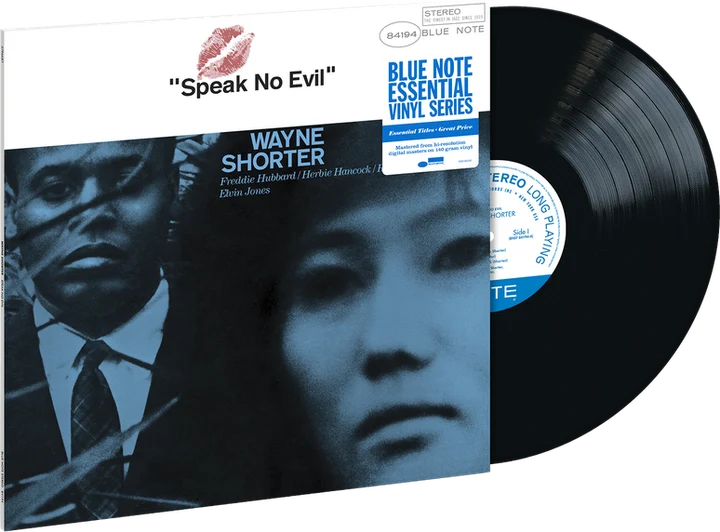
Speak No EvilWayne Shorter · LP
$28.00The shopper pays for the items now and arranges shipping later.
Ship Later · Thank you
Confirm the hold and show how to arrange delivery.
Tell shoppers their order is held and give them a link to their purchases. Turn on optional shipping recovery to offer a review link if they meant to choose delivery.
Try it
Open “How to request shipping” in this example with shipping recovery enabled.
Order confirmed
Thanks, Alex.
Speak No EvilWayne Shorter · LP
$28.00 Your items are on hold
Wanted delivery instead? Select your ready items and review shipping options and any costs before requesting a shipment.
How to request shipping
- Ship Later items are held
- They stay in your held orders until you request shipping.
- Choose what to ship
- Open your held orders and select the ready items to ship together.
- Request shipping
- Review the shipping options and pay any shipping charge.
New orders may take a moment to appear. Sign in if asked, then refresh the held-items page if needed.
Collection Widget
Let shoppers check what’s ready to ship.
On an eligible paid plan, add a Collection Widget that signed-in shoppers can open without leaving the page. They can search held purchases, see what’s ready or waiting, and review shipping when they’re ready.
Try the widget
Select “My records” at the bottom of the store preview to open the Collection Widget.
On the turntable
Jazz essentials
Your held records2 ready · 1 waiting
- Speak No EvilWayne ShorterReady
- Maiden VoyageHerbie HancockReady
- Blue TrainJohn ColtraneExpected Jan 15Waiting
All three placements open the same collection. Match your theme or choose your own colors, icon and wording. Shipping buttons are shown for reference.
Add held orders to customer accounts.
Give shoppers a dedicated Held Orders page in your store and a way to find the same purchases through their Shopify account.
3 records held2 ready · 1 waiting
- Speak No EvilReady
- Maiden VoyageReady
- Blue TrainWaiting
Ship Now CTA
Let shoppers ship ready purchases together.
Add a Ship Now button so shoppers can review ready items from multiple orders and arrange one shipment. Items that are still waiting stay in their collection.
Example
What shoppers review before they ship.
Your collection
Held records
Review items for this shipment
These two ready records can ship together.
Speak No EvilWayne Shorter · LP
ReadyMaiden VoyageHerbie Hancock · LP
ReadyReview shipping at checkout. Blue Train stays in your collection.
Storefront Hub