When a customer is ready to receive their held items, they go to your Order Summary page and request a shipment themselves. The whole flow takes about a minute and ends with them paying shipping at a short checkout. No action is needed from you until the order is ready to fulfill.
Step by step: what the customer does
- Sign in to their customer account using the same email they used at checkout, then open the Order Summary page.
- Review the list of held orders. By default all shippable orders are selected. They can uncheck any orders they want to leave held for later.
- See a shipping fee preview update in real time as they adjust their selection. The preview shows a breakdown (base fee, any country surcharge, any discount) and a note that the final total is confirmed at checkout.
- Click Proceed to Checkout (or Ship [number] items if your store uses per-item readiness).
- Complete a short checkout to pay the shipping fee. The products themselves were already paid for at the original checkout.
- After payment, the selected orders are released for fulfillment and shipped together as one combined delivery.
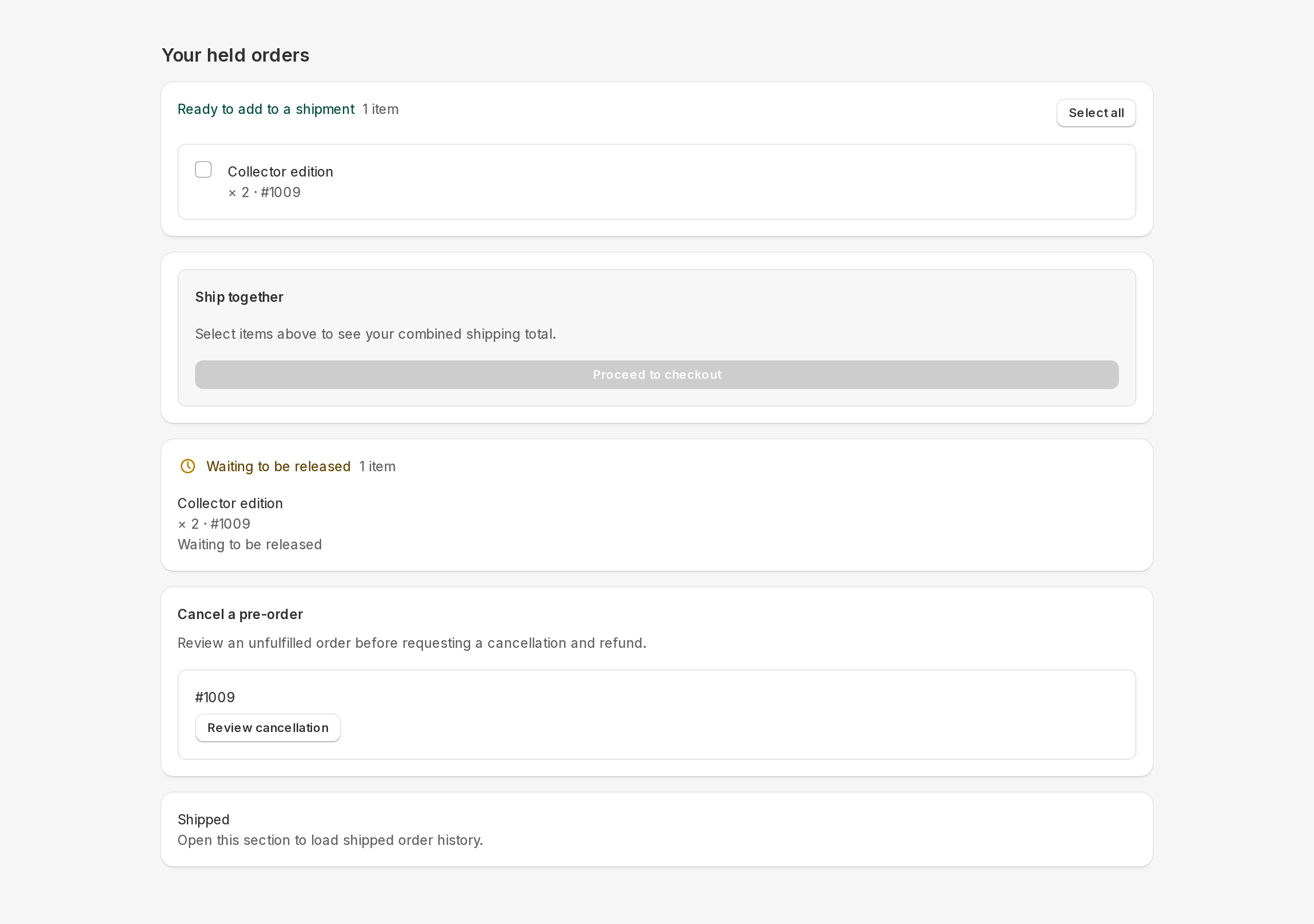
Combining multiple orders into one delivery
Selecting more than one order at the same time is how customers consolidate their held items into a single shipment. The shipping preview reflects the combined fee. This is the core benefit of Ship Later: the customer pays one shipping charge instead of one per order.
Items that are not selectable yet
If some items have a future release date or are waiting on a supplier, they appear in a separate section and cannot be selected. The customer sees a note such as "Available from [date]" or "Available when ready". They can still ship everything else and come back for the remaining items later.
After the customer ships
Once the customer pays at the shipping checkout, the held orders move to Dispatching status. You fulfill them through your normal Shopify workflow. Tracking information appears on the Order Summary page as soon as it is added to the Shopify order. For a tour of what you see on your side, visit Operations tour or Order details.
Identify the physical parcel record before packing. Legacy combined mode uses the combined order; split payment/shipment mode uses a separate shipment order and a payment copy. Never pack the payment copy. A documented warehouse workflow may instead ship released originals; use only that agreed procedure.
The final delivery total can include an eligible Shopify shipping rate plus Addora fee lines, less applicable discounts and available shipping credit. A zero Addora base fee does not guarantee free delivery. The estimate can be unavailable when address, currency or rate information is missing; checkout confirms the final amount.
STILL A QUESTION?
Let's work through it together.
Every store is a little different. We're here to help.