Links marked “in Addora” open the matching screen in your Shopify admin. Sign in and choose your store if Shopify asks.
Open Settings, Customer experience in Addora ↗Customers who reserve items and then forget about them are missing out on shipping their order. Addora can automatically send them a reminder email after their held items have been idle for a set number of days, bringing them back to ship when they are ready.
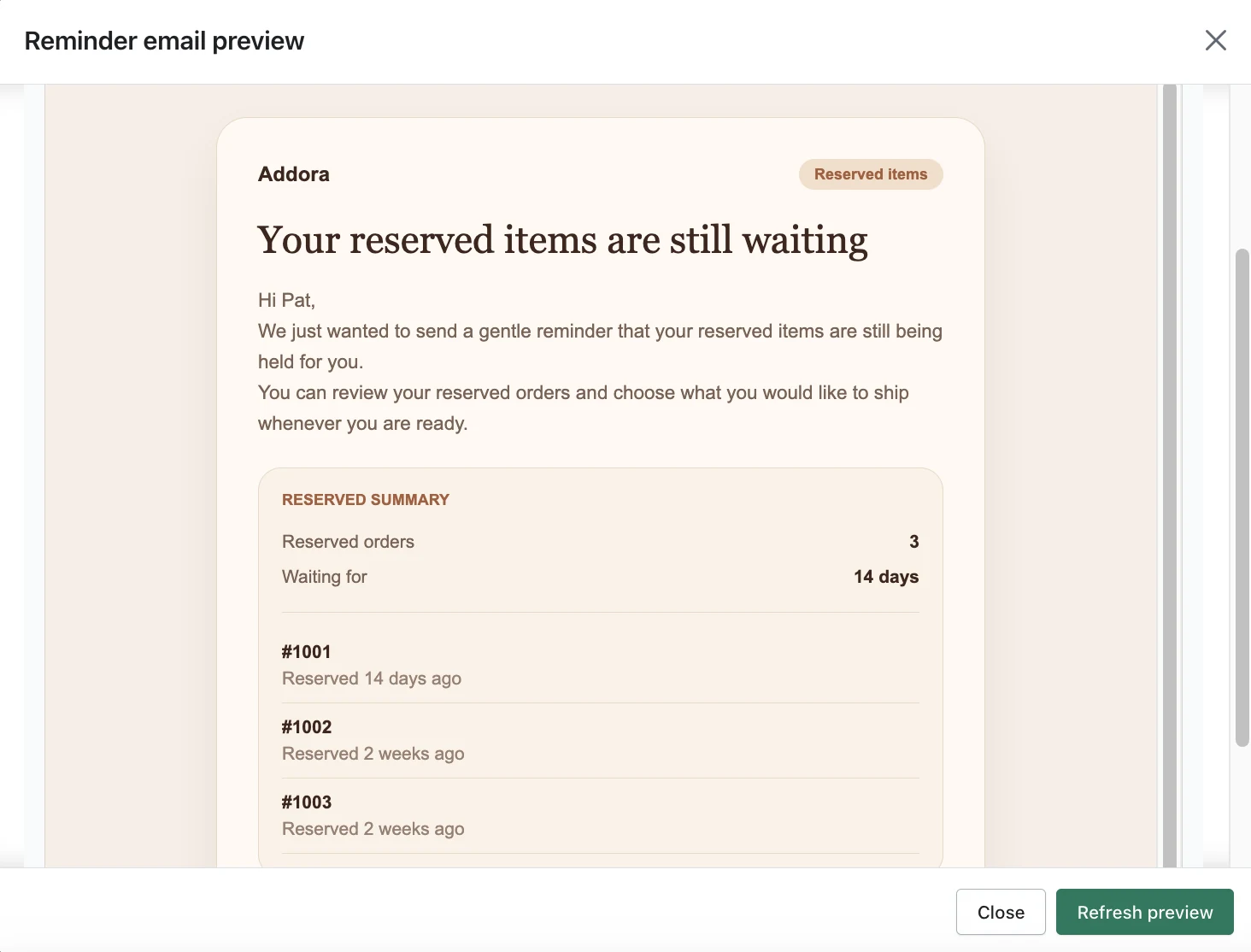
What the reminder email looks like
The email has a subject line (default: "Your reserved items are still waiting"), a short heading and body, and an optional call-to-action button. Addora links the button to the Held Orders page detected during setup, whether it lives in Shopify customer accounts or on the storefront. You can enter a custom link instead, or leave the button out when the store uses navigation or a custom journey. You can customise all of the copy, including personalisation tokens like the customer's first name, your shop name, the number of pending items, and the number of idle days.
When the reminder sends
Addora checks once per day for customers who have held items that have been idle. The default idle period is 14 days. You can change this number when you set up reminders. A customer only receives one reminder per idle window, and Addora re-checks just before sending to make sure the customer has not already shipped their items.
- If the customer ships their items before the reminder sends, no email is sent.
- Customers can unsubscribe with one click. The email includes an unsubscribe link and Addora honours it.
- The reminder is not sent more than once per idle period per customer, so customers are not bombarded.
A second type of notification: hold updates
Addora also sends an event-driven email when something changes about a held order, for example when items become ready to add to a shipment or when a release date changes. This "order hold update" email has its own subject and copy (defaults: "Update about your reserved order from [shop name]"), and goes out automatically when the relevant change happens.
Built-in notification defaults follow the resolved customer/storefront locale. Custom subject, heading and body overrides are shared text and are sent as entered, not automatically translated. The merchant app supports English, German, Spanish, French and Dutch. Test both default and customized emails in each language you use.
STILL A QUESTION?
Let's work through it together.
Every store is a little different. We're here to help.