Links marked “in Addora” open the matching screen in your Shopify admin. Sign in and choose your store if Shopify asks.
Open Pricing in Addora ↗Addora has six plans: one free plan and five paid plans. Every plan lets you use Ship Later and manage pre-orders. The differences are how many Addora orders each month and which features are unlocked.
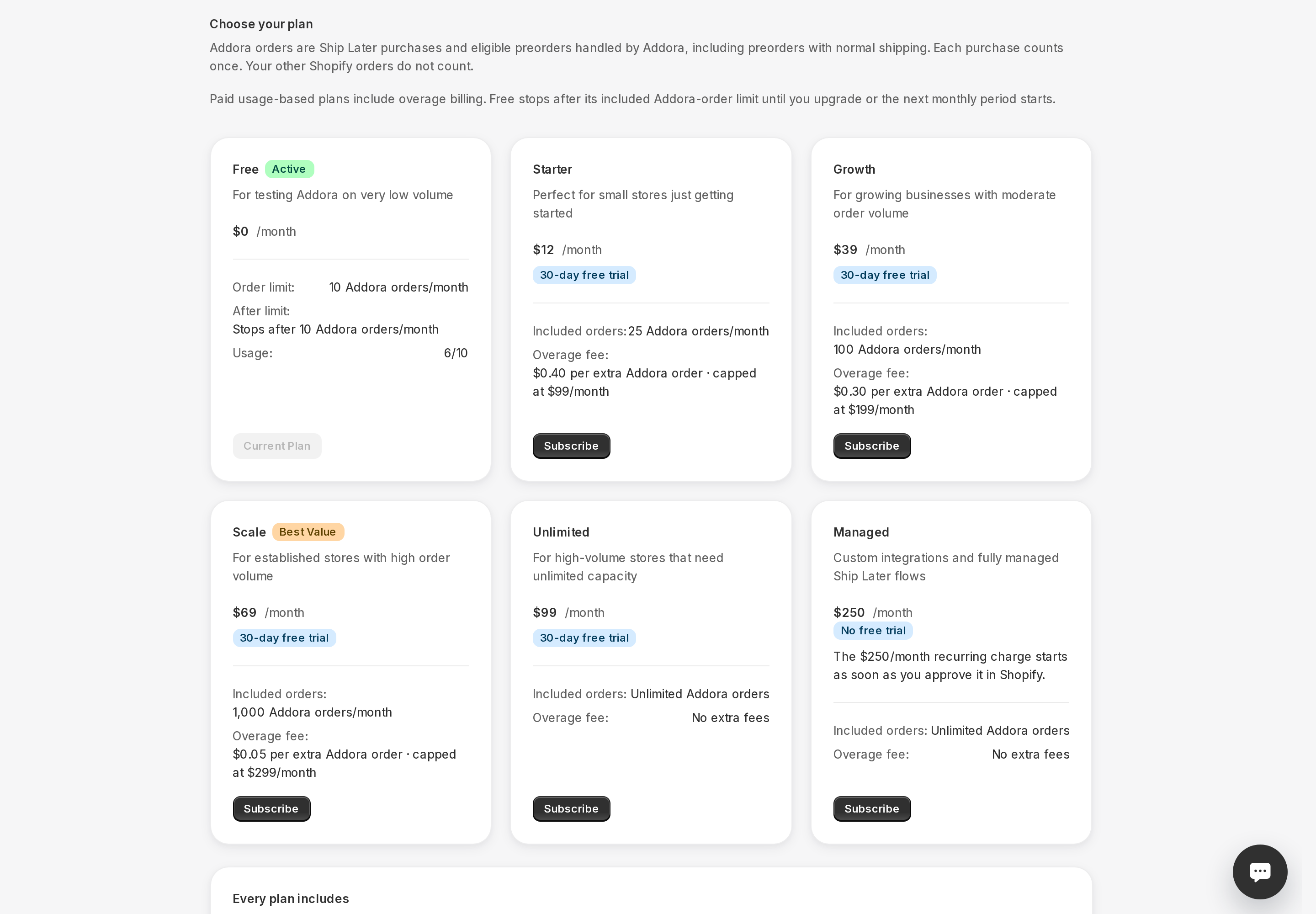
Plans at a glance
- Free ($0/month): 10 Addora orders per month, hard stop at the limit.
- Starter ($12/month): 25 Addora orders included, $0.40 per extra order.
- Growth ($39/month): 100 Addora orders included, $0.30 per extra order.
- Scale ($69/month): 1,000 Addora orders included, $0.05 per extra order.
- Unlimited ($99/month): unlimited Addora orders with no extra fees.
- Managed ($250/month): unlimited Addora orders, custom integrations, and fully managed flows.
If your plan says Grandfathered
Some long-standing customers keep an earlier included-order allowance or overage rate. A Grandfathered badge means the number shown on your active plan card is your store's actual allowance or rate, even when it differs from the current public plan.
What paid plans unlock
All paid plans (Starter and above) include everything in Free plus:
- Advanced fee rules. Paid plans support conditions for Addora fees and discounts. These rules change the later shipping charge, not which carts see Ship Later at the first checkout. See Conditions.
- Customer reminder emails. Automated emails that nudge customers to ship their held orders. See Reminder emails.
How overage works on paid plans
Starter, Growth and Scale charge per additional Addora order after the included allowance. New subscriptions have no monthly overage spending cap. Existing subscriptions retain their approved terms. Unlimited and Managed have no overage fees.
Choosing or changing your plan
Open Pricing (in Addora ↗) from the Addora sidebar. Each plan card shows the monthly price, included order count, and overage rate. Click Select plan on the one you want. Shopify will ask you to approve the subscription before it activates.
After uninstalling and reinstalling
Uninstalling Addora stops future Shopify billing cycles for the existing app subscription. If you reinstall, that old subscription is not treated as active: choose a paid plan again and approve the new recurring charge in Shopify before paid features reactivate. A charge already generated for the current billing period can still appear on your Shopify bill.
Counts apply to Addora orders
Regular Shopify orders that Addora does not manage do not count toward your plan limit. Ship Later orders and automatically recognized pre-order orders do count. See How your plan counts orders.
STILL A QUESTION?
Let's work through it together.
Every store is a little different. We're here to help.