Links marked “in Addora” open the matching screen in your Shopify admin. Sign in and choose your store if Shopify asks.
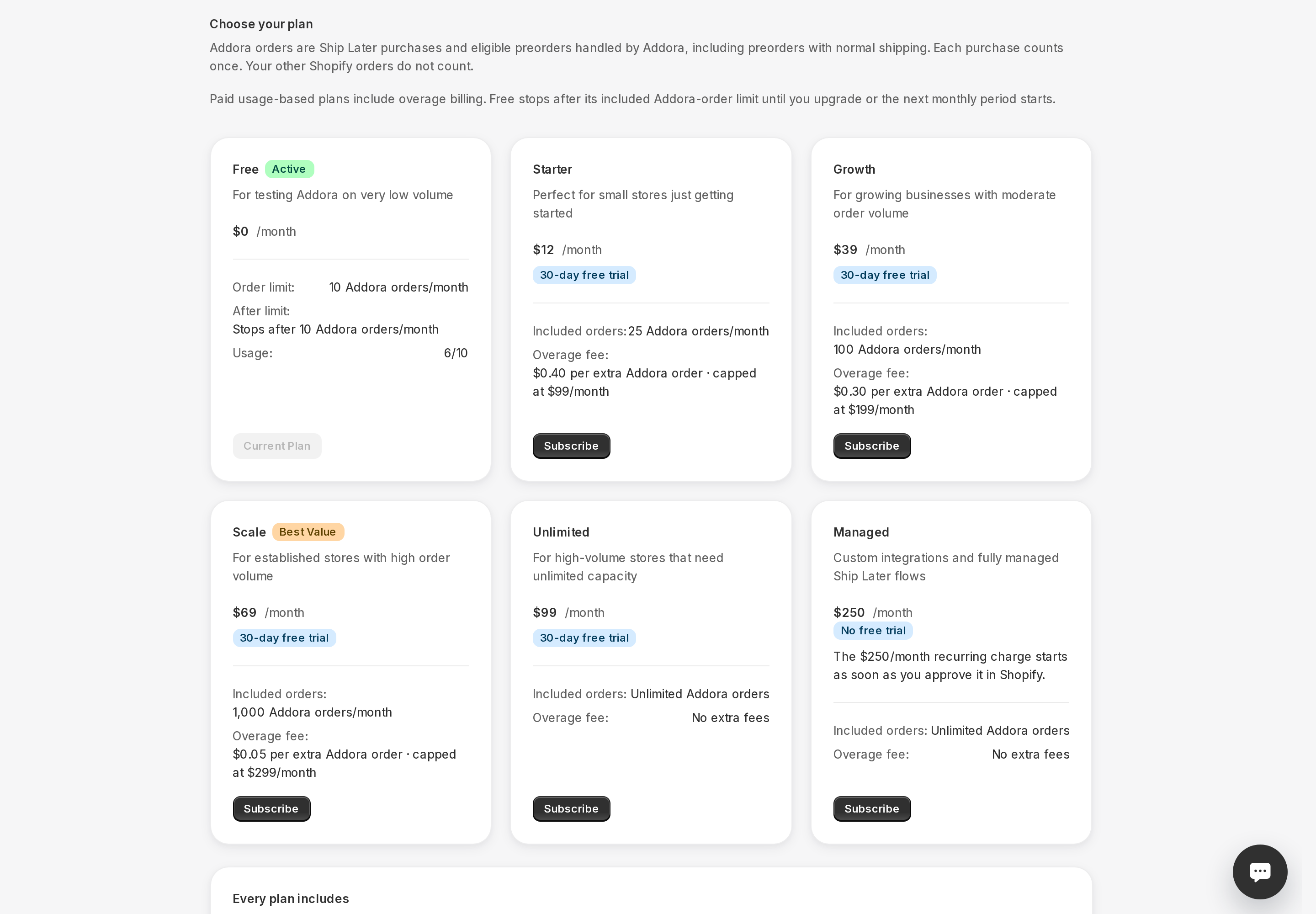
Open Pricing in Addora ↗Your plan limit is measured in Addora orders, not total store orders. Regular orders that do not use Addora do not count toward your monthly allowance.
What counts
An order counts when a customer completes a Ship Later purchase or when Addora automatically recognizes and manages pre-order content on the order. Each qualifying Shopify order counts once.
What does not count
- Regular orders that do not use Ship Later and contain no pre-order content Addora manages.
- The combined shipping order that Addora creates when a customer requests a shipment. That is an internal order Addora uses to handle fulfillment, not a new customer order.
- Orders placed by your own team from the Shopify admin.
- A refund or cancellation does not remove an order that already counted when it was created.
Where to see your usage this month
Open Pricing (in Addora ↗) from the Addora sidebar. The page shows how many orders Addora has managed in the current period and your plan limit. If you are on a paid plan, it also shows any overage charges so far this month.
When the count resets
Your active Pricing card shows the current period and reset date. Paid usage follows the approved subscription period. Free periods are anchored to activation and advance by one month; they are not calendar months. A reset starts a new allowance, not a refund of previously counted orders.
STILL A QUESTION?
Let's work through it together.
Every store is a little different. We're here to help.