Links marked “in Addora” open the matching screen in your Shopify admin. Sign in and choose your store if Shopify asks.
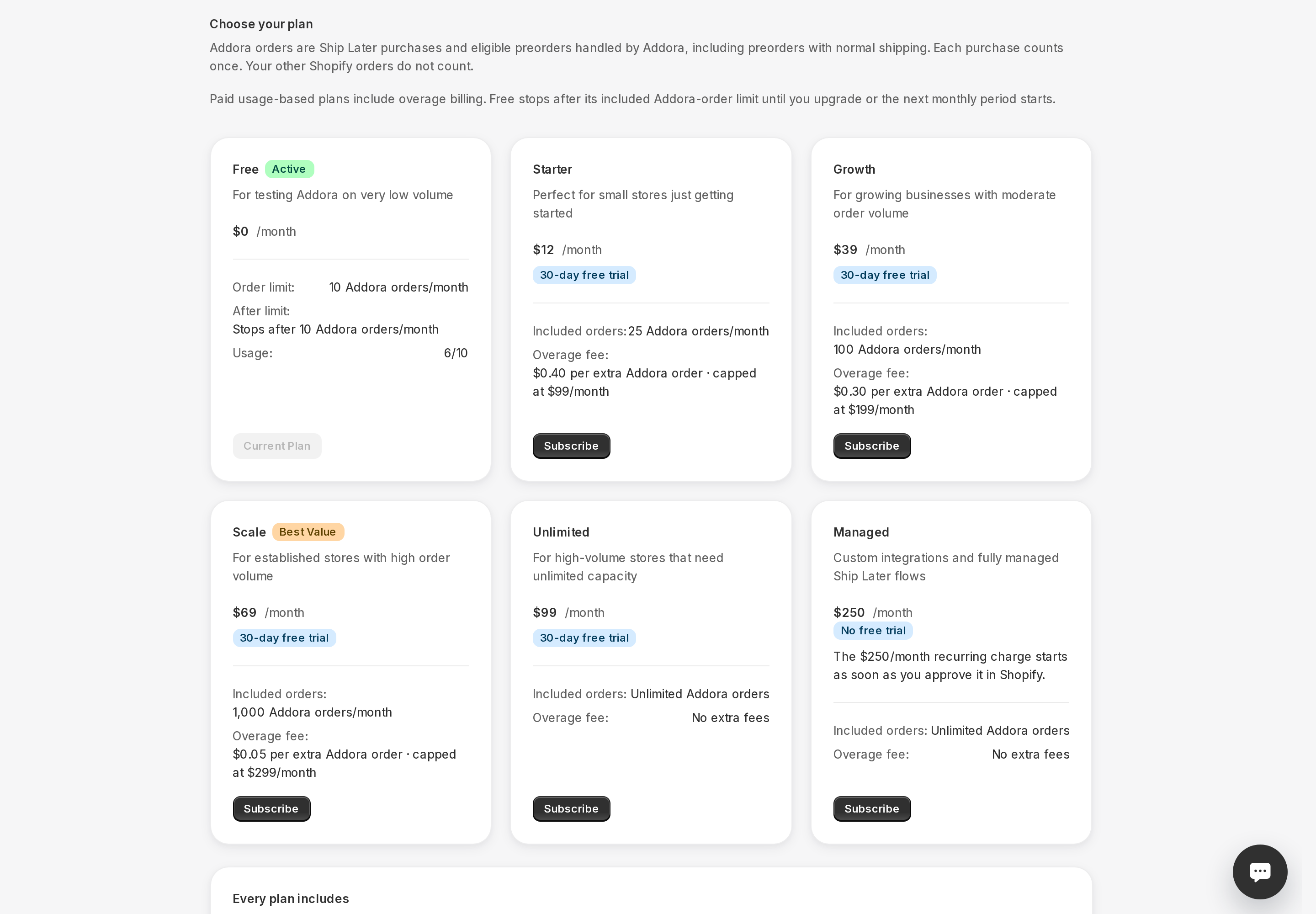
Open Pricing in Addora ↗The Free plan lets you use Addora at no cost, with a monthly limit of 10 Addora orders. It is a good way to try Addora or to run a low-volume store without a monthly subscription fee.
What the Free plan includes
- Up to 10 Addora orders per month.
- Full Ship Later checkout option for your customers.
- Order management in the Addora dashboard.
- Basic shipping rules.
- Your own Ship Later name and description at checkout.
- Your own brand on customer pages, with no Addora label.
- Support.
What the Free plan does not include
- Advanced fee rules. Paid plans support conditions for Addora fees and discounts. These rules change the later shipping charge, not which carts see Ship Later at the first checkout. See Conditions.
- Automated customer reminder emails.
What happens when you reach 10 orders
Once Addora has managed 10 orders in the current free period, new qualifying orders pause until the limit resets or you upgrade. There is no grace window and no overage on the Free plan: it is a hard stop at 10.
When the limit resets
The order count resets automatically at the start of each new free period (roughly one month). When it resets, Ship Later becomes available at checkout again and any orders that were set aside while you were at the limit are processed automatically. You do not need to do anything.
Upgrading to remove the limit
If you regularly hit 10 orders or want to run Ship Later without interruption, upgrading to a paid plan removes the hard stop. Go to Pricing (in Addora ↗) and select a plan. The upgrade takes effect immediately.
STILL A QUESTION?
Let's work through it together.
Every store is a little different. We're here to help.