Here is the full journey from the moment a customer picks Ship Later to the moment their parcel arrives, seen from both sides of the counter.
Step 1: the customer chooses Ship Later at checkout
Your store shows a Ship Later option alongside your normal shipping rates. The customer selects it, pays for their items, and completes checkout. No shipping fee is charged at this point. The order lands in your Shopify admin like any other order.
Step 2: the order is held
Instead of moving to fulfillment, the order is placed on a hold. Its status in your Addora dashboard shows as Shipping Pending. The customer's items are reserved and waiting. Nothing ships yet.
Step 3: the customer keeps shopping (optional)
The customer can place more Ship Later orders on future visits. Each one is held in the same way. This is how they build up a batch to ship together.
Step 4: the customer decides to ship
Customers can manage held items inside Shopify customer accounts or on the configured storefront page. Account extensions need customer accounts; the storefront route also supports classic accounts on themes with app blocks. Test the selected surface while signed in with the purchase identity.
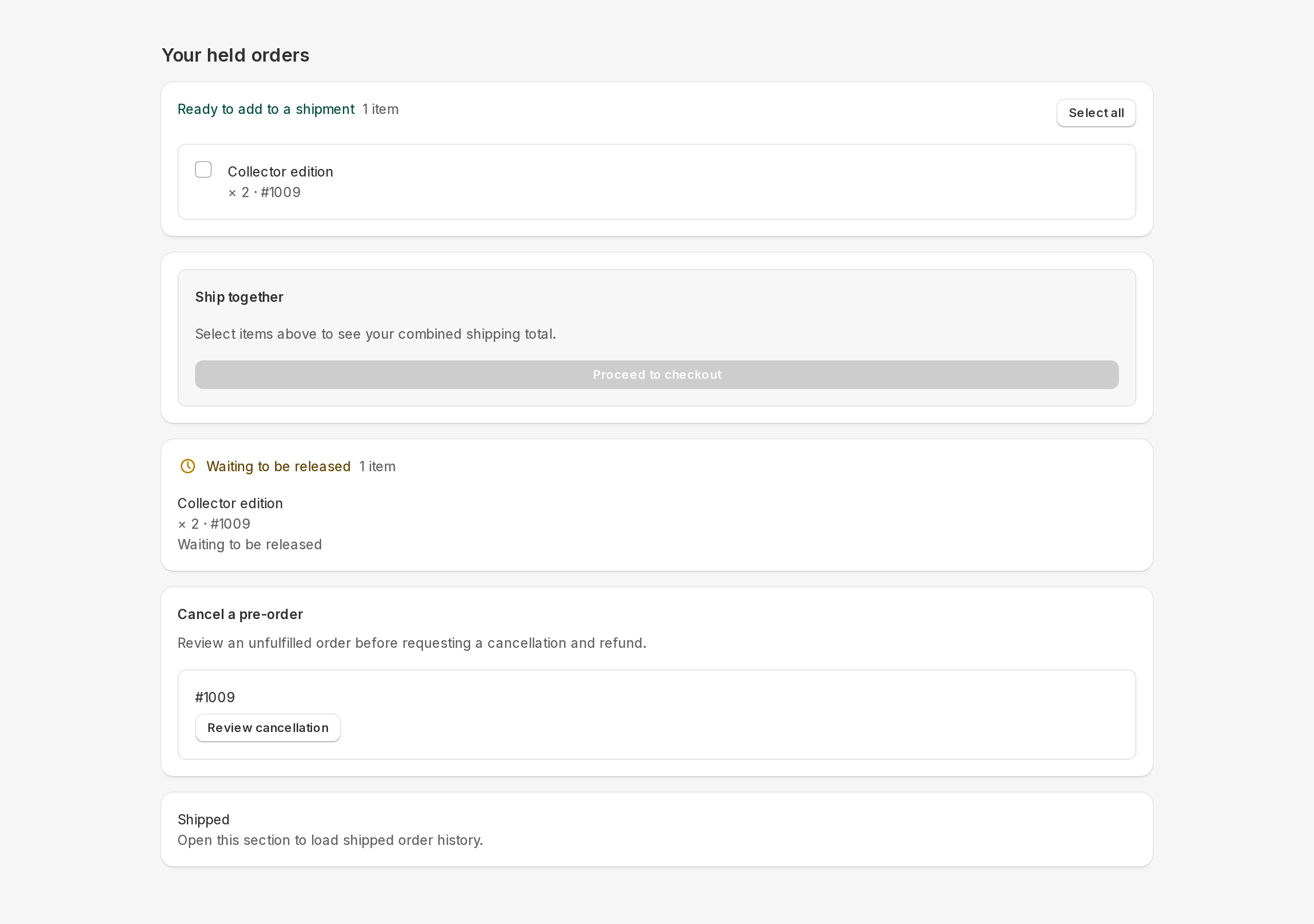
Step 5: the customer pays shipping once
Addora gathers the selected orders into one combined checkout. The customer pays the shipping fee once, covering everything they selected. The orders move from Shipping Pending to Dispatching in your dashboard.
Step 6: you fulfill one combined order
Identify the physical parcel record before packing. Legacy combined mode uses the combined order; split payment/shipment mode uses a separate shipment order and a payment copy. Never pack the payment copy. A documented warehouse workflow may instead ship released originals; use only that agreed procedure.
Merchant view: what you see in the dashboard
- Operations, Orders: your queue of held orders with their current status (Shipping Pending, Dispatching, Shipped).
- Reminders: optional automated emails to nudge customers who have not shipped their held items yet.
- Settings: control the checkout option name, which delivery profiles offer Ship Later, email messaging, and more.
STILL A QUESTION?
Let's work through it together.
Every store is a little different. We're here to help.