Links marked “in Addora” open the matching screen in your Shopify admin. Sign in and choose your store if Shopify asks.
Open Dashboard in Addora ↗The Dashboard (in Addora ↗) is your quick morning check. It shows what is waiting now, what has happened recently and shortcuts to the pages where you can take action.
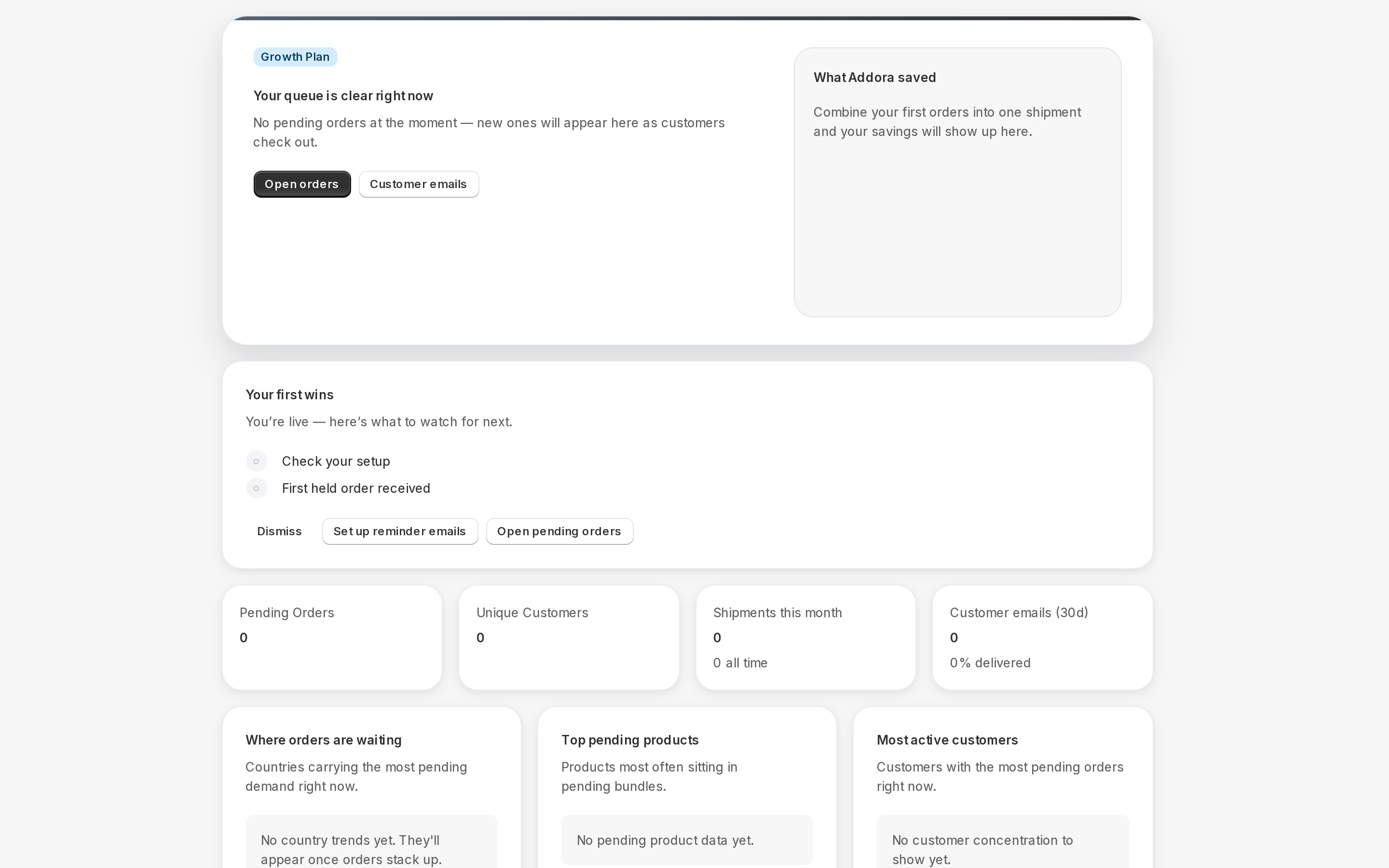
Your current queue
The top of the dashboard shows how many orders Addora is managing and how many customers they belong to. These numbers are a current snapshot. Select Open orders when you need the full list, filters or order actions in Operations (in Addora ↗).
Plan and usage
On the Free plan, the dashboard shows how many of this month's included Addora orders you have used. Paid plans show your active plan and renewal date instead. The Pricing page (in Addora ↗) always has the full details for your store.
Activity and savings
- Order activity shows orders Addora managed during the last 30 days. It may also show customer emails and combined shipments when there is activity to report.
- What Addora saved estimates the number of shipments avoided by combining orders and, when available, the shipping saved for customers.
Where demand is waiting
The insight cards highlight countries with the most waiting orders, products most often sitting in pending bundles and, on paid plans, customers with the most pending orders. These cards help you spot patterns; use Operations for the order-level detail.
Shortcuts at the bottom
Use the links at the bottom to jump to Orders, Customer emails, Checkout settings, Email automations, Shipping rules, Guides or Pricing. The dashboard is a summary; those linked pages are where you make changes.
STILL A QUESTION?
Let's work through it together.
Every store is a little different. We're here to help.