Keep Addora open beside this guide.
Links marked “in Addora” open the matching screen in your Shopify admin. Sign in and choose your store if Shopify asks.
Open Settings, Ship Later in Addora ↗By default, the Ship Later option at checkout is labelled "Ship Later (Addora)" with the description "Pay shipping later". You can change both the name and the description to match your store's tone and language.
Where to change the name and description
- In the Addora app, go to Settings, Ship Later (in Addora ↗).
- Under Checkout shipping option, find the Shipping Method Name field.
- Type your preferred name. Note: in the default detection setting, the text "(Addora)" is added automatically, so you do not need to type it yourself.
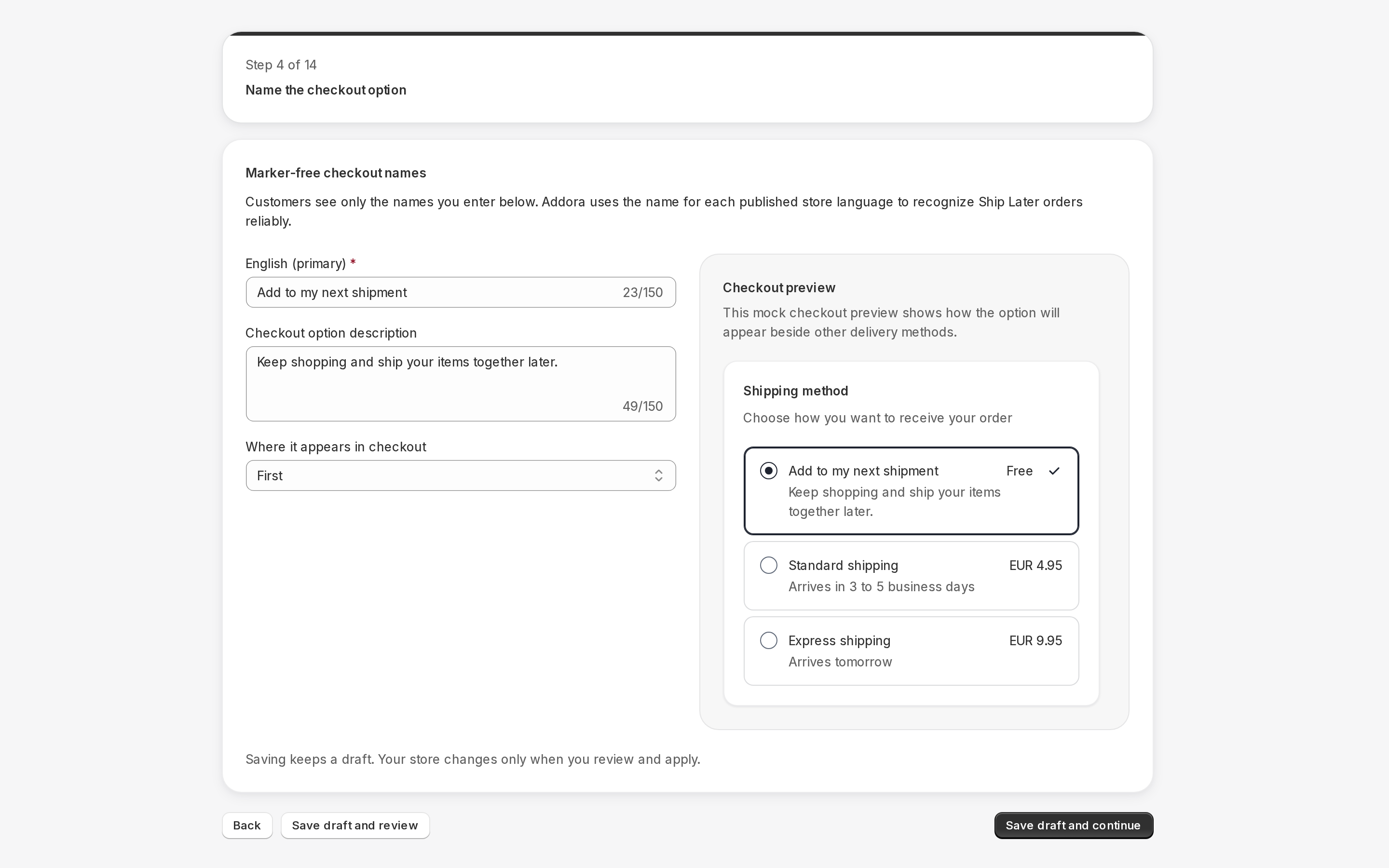
- Enter the checkout name and a description of up to 150 characters, preview the result and save. Name and description customization is available on every plan, including Free. Marker-free detection needs a distinct configured name for each published storefront language.
- Use the live preview on the same page to see how the option will look to shoppers.
- Click Save.
PRODUCT WALKTHROUGH Example interface
Tips for good copy
- Keep the name short and clear. Shoppers scan shipping options quickly.
- Enter the checkout name and a description of up to 150 characters, preview the result and save. Name and description customization is available on every plan, including Free. Marker-free detection needs a distinct configured name for each published storefront language.
- Avoid promising free shipping in the description. Shipping is charged when the customer ships their bundle, not at checkout.
- If you serve customers in multiple languages, note that this name appears on the checkout page. Use the language your checkout is in.
Related settings
- Where Ship Later sits in the list: control whether it appears first, second or last among your shipping options.
- Remove the Addora marker safely: use a clean name and keep order detection working.
- Ask customers to confirm Ship Later: add an optional confirmation step at checkout (Shopify Plus only).
STILL A QUESTION?
Let's work through it together.
Every store is a little different. We're here to help.