Keep Addora open beside this guide.
Links marked “in Addora” open the matching screen in your Shopify admin. Sign in and choose your store if Shopify asks.
Open Diagnostics in Addora ↗The Diagnostics area is a behind-the-scenes status view that shows whether Addora is receiving orders from Shopify and whether its internal services are running correctly. You will rarely need to open it day to day, but support may point you there if something looks wrong.
PRODUCT WALKTHROUGH Example interface
What is in Diagnostics
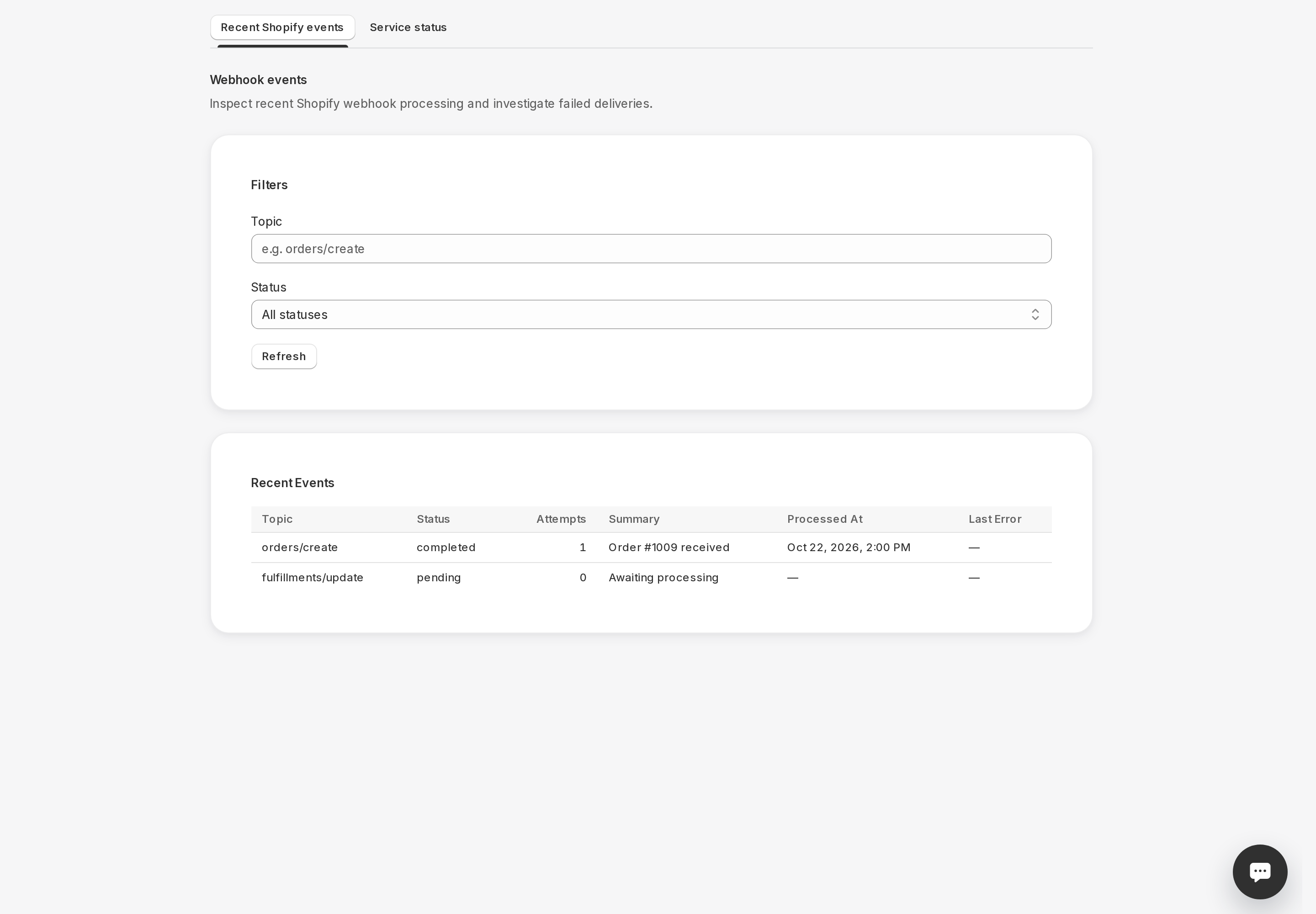
Diagnostics has two tabs: Events and System Tools.
- Events (Diagnostics, Events (in Addora ↗)): shows a log of recent activity coming in from Shopify, such as new orders, order edits, and fulfillment updates. Each entry shows the type of event, its status (for example, completed or failed), how many times it was attempted, a short summary, and when it was last processed. You can filter by event type or status and use the Refresh button to see the latest entries.
- System Tools (Diagnostics, System Tools (in Addora ↗)): shows two service status cards called Service Health and Readiness. Each card reports a current status and when it was last checked. The Readiness card lists individual checks for the services Addora depends on, each with its own status indicator.
When to check Diagnostics
- Support asks you to check whether a specific order event shows as completed or failed.
- You are seeing delays and want to confirm that events are being processed at all.
- You want to verify that Addora's services are healthy after a Shopify incident or maintenance window.
What the statuses mean
- Completed: the event was received and processed successfully.
- Pending or Processing: received or queued work may still be waiting, running or retrying. Inspect attempts and timestamps. Even a completed webhook does not prove that every downstream readiness, publication or shipment job finished.
- Failed: the event could not be processed after several attempts. This is worth reporting to support.
STILL A QUESTION?
Let's work through it together.
Every store is a little different. We're here to help.