Hold my order until my next purchase. If you sell collectibles, hobby items, or run frequent drops, this request is constant. Shopify is not designed around customer-controlled order holds, so stores rely on tags, notes, and memory.
This guide explains reliable ways to hold orders on Shopify, the risks of each method, and how order holds connect to combined shipping.
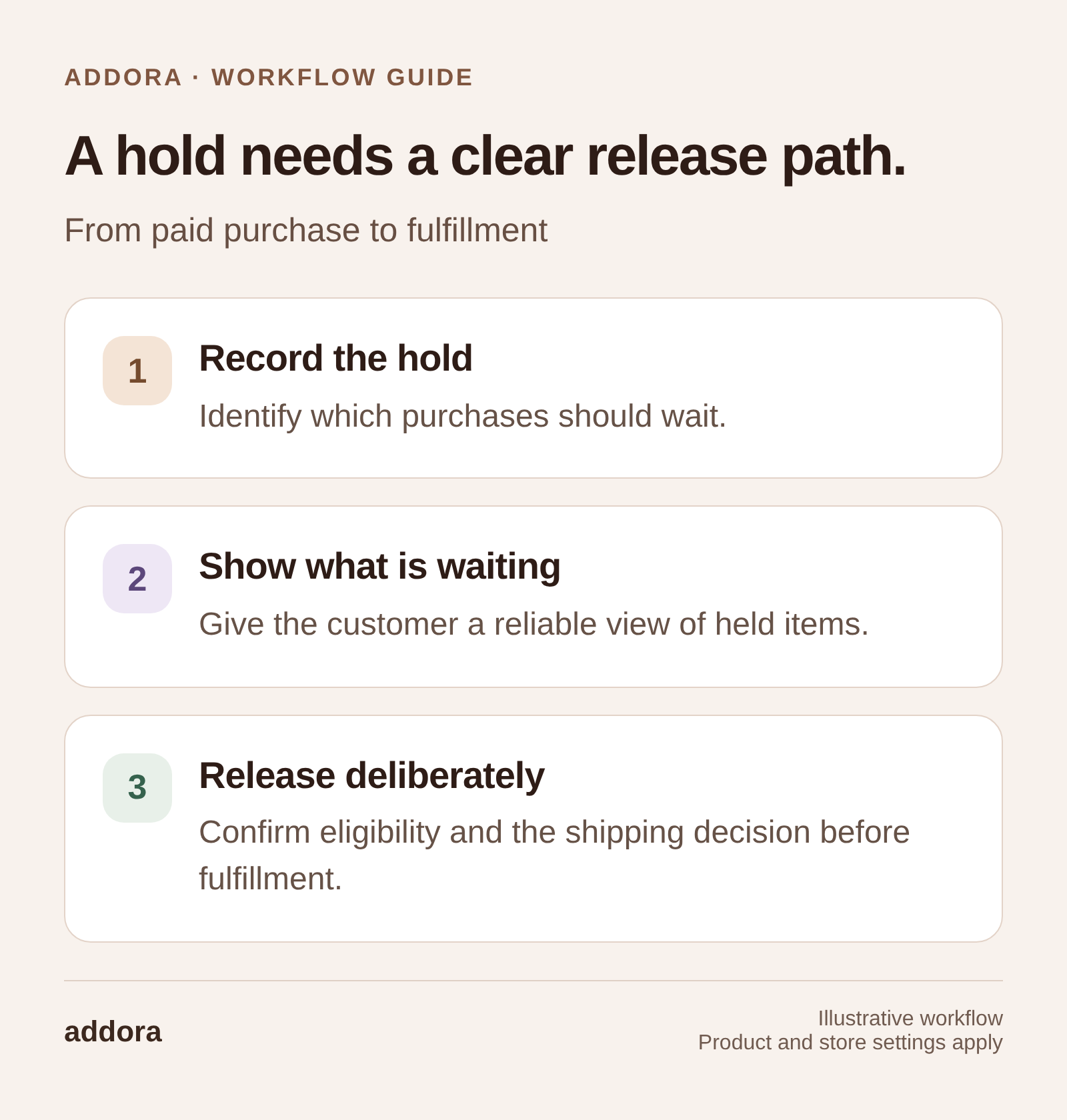
View this workflow at full size
What holding an order actually means
- You accept payment now.
- You intentionally delay fulfillment.
- You prevent accidental shipping until a trigger occurs.
Common triggers in hobby stores include a customer requesting shipment of all pending orders, a preorder arriving in stock, or a hold window expiring.
Manual holds: what works and what breaks
The most common manual approach is simple: add a HOLD tag, add an order note, and train staff not to fulfill tagged orders. That works at low volume. It breaks when someone new joins the team, bulk fulfillment runs, or customers build up multiple holds across weeks.
Three workflows to hold orders on Shopify
Workflow 1: Manual tags with a daily hold queue
Best for small stores with low volume. Use a consistent tag format, a saved admin view, and a fulfillment checklist that explicitly excludes held orders. Human error is the failure mode.
Workflow 2: Automation rules to apply holds consistently
Best for stores with mixed products and clear eligibility rules. Automatically tag orders based on shipping method, product type, or customer selection. The risk is rule drift: if titles or product types change, automation can silently fail.
Workflow 3: Customer-driven holds with a consolidation trigger
Best for collectibles, drops, and repeat buyers.
- Customer chooses Ship Later at checkout.
- The order enters a held lifecycle automatically.
- The customer sees a list of pending orders.
- The customer triggers shipment when ready.
This is also the cleanest path to combined shipping. Holds and consolidation are two parts of the same system.
Common fulfillment mistakes and how to prevent them
- Accidentally fulfilling a held order. Prevention: use a dedicated hold status or lifecycle label and make the process check it every time.
- Losing track of why an order is held. Prevention: store the hold reason and release trigger in a consistent format.
- Customers do not understand what hold means. Prevention: explain it at checkout and repeat it in post-purchase messaging.
How holds enable combined shipping
You cannot reliably combine shipping without holds. If orders ship immediately, there is nothing to consolidate later.
Once the hold rules are clear, use our combined shipping guide to plan the release. Reserved-item reminders can help customers return to purchases they have already made.