If you run a Shopify store and customers place multiple orders in a week, you have heard this request: "Can you combine my orders and refund the extra shipping?" For hobby and collectible stores, this is normal behavior. Shopify treats each order as its own shipping transaction, so customers pay shipping repeatedly and merchants end up doing manual work.
This guide explains how to combine shipping on Shopify, what actually works, and which approach scales for repeat-buyer stores.
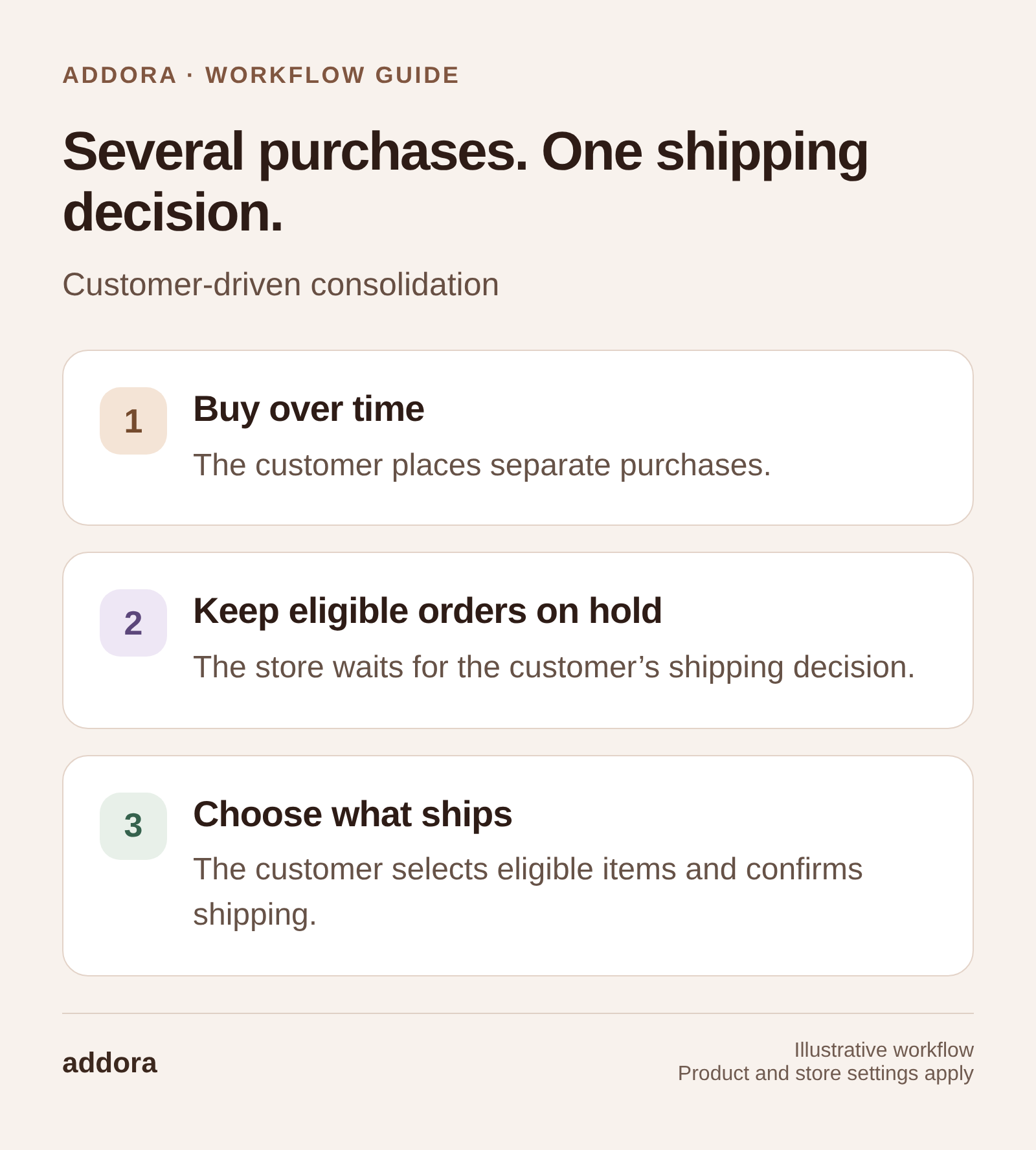
View this workflow at full size
Why Shopify does not combine shipping by default
Shopify is built around a simple model: one checkout creates one order, with one shipping line and one fulfillment lifecycle. When a customer places another order later, Shopify cannot automatically treat those as one shipment because each order has its own shipping charge, tax context, tracking events, and fulfillment state.
- Each order has its own shipping charge and taxes tied to the transaction.
- Each order has its own fulfillment state and tracking events.
- Shopify does not provide a native shipping wallet or ship-later queue for customers.
The four common ways merchants handle combined shipping
If the request is to change a purchase rather than coordinate delivery, compare adding to a Shopify order after checkout. Our article on why shipping costs are also a timing problem explains the customer motivation behind consolidation.
1. Manual refunds and notes
The customer places multiple orders, emails you asking to combine them, and you refund one or more shipping charges. This works at low volume, but it breaks under labor cost, accounting confusion, and human error.
2. Merge order apps
Merge-order apps reduce back-office mess, but customers still paid shipping multiple times up front. For many stores, this becomes a partial solution: cleaner operations, but still manual refund work.
3. Custom workflows using tags and hold rules
Some stores tag orders, block fulfillment manually, and release shipments later. That can work for disciplined teams, but customers still cannot manage it themselves and the process tends to break when volume grows.
4. Customer-driven consolidation
This is the model repeat-buyer niches actually want:
- Customer chooses a Ship Later option at checkout.
- Orders enter a pending or held state automatically.
- Customer can view all pending orders in one place.
- When ready, they trigger a single shipment for multiple orders.
That workflow reduces checkout friction and support tickets because customers do not need the merchant to coordinate shipping manually.
For the operational side, follow our guide to holding Shopify orders. To give buyers a place to review those purchases and choose eligible items, see held orders in Shopify customer accounts.
Best approach for repeat-buyer stores
If your customers place multiple orders per month, your goal is not just combining shipments. Your goal is removing the shipping penalty that discourages repeat purchases.
- Offer Ship Now and Ship Later as explicit choices.
- Automatically hold eligible orders to prevent accidental fulfillment.
- Give customers a clear place to manage pending orders and request shipment.
- Charge shipping once at the moment they decide to ship.
If you get three or more "combine my orders" messages per week, a customer-driven consolidation workflow usually pays for itself in saved time and fewer support tickets.
When you should not combine shipping
- Your average customer buys once and rarely returns.
- Your products are perishable or time-sensitive.
- Your brand promise is fastest possible fulfillment above all else.
- Regulations require immediate shipping or specific handling.
Implementation checklist
- Clarify the promise: what does Ship Later mean, and how long can orders be held?
- Define eligibility: which products or shipping methods can be held?
- Make it visible: provide a customer-facing view of pending orders.
- Automate hold logic: reduce human error in fulfillment.
- Set expectations with checkout, post-purchase messaging, and a clear FAQ.